A property website can look polished on a desktop and still lose enquiries on a phone. This checklist helps a Dubai real estate team test the visitor journey before launch or after a major page change. It focuses on observable behaviour: whether a person can understand a listing, submit a question, receive a clear confirmation and reach the right team. It does not assume that a particular CRM, portal integration or feature is already available.
1. Test the listing before the form
Open representative sale and rental listings on a small phone screen. Confirm that the property type, location, price and availability status are visible and consistent with the approved source. Check that bedrooms, bathrooms, size and key fees are labelled clearly, and that units are not implied where none are supplied. Tap the gallery, map and contact controls. A button should do what its label promises; if availability has not been confirmed, avoid language that suggests a viewing is booked.
2. Complete the enquiry with one thumb
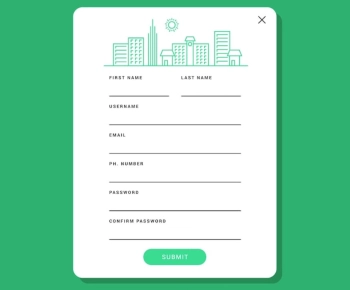
Use the shortest useful form. Ask only for details the agency needs to answer the request, such as a name, a reachable contact method and the property reference. Test every field with the mobile keyboard: email should show an email layout, phone should accept the formats the business supports, and the submit control should remain visible when the keyboard opens. Labels must remain visible after typing. Show required fields before the visitor submits rather than relying on a red outline alone.
3. Test errors and recovery
Submit once with a required field blank, then with an invalid email or phone format. The page should identify the field in plain language, preserve already entered information and move focus to the problem. Correct the field and submit again. Test a slow connection and a double tap: the interface should indicate progress and avoid making the visitor wonder whether the request was received. Never display a success state when the server rejected the enquiry.
4. Confirm consent and privacy wording
Place the privacy notice near the form and state why the requested contact information is needed. If marketing consent is optional, do not bundle it with the request to discuss a property. Check that the wording is readable on mobile and that a visitor can open the linked privacy page without losing the form. Use fictional test records during QA. Do not put real customer information in screenshots, analytics test events or public issue reports.
5. Verify what happens after submit
Write down the expected destination before testing: an assigned agent, a monitored team queue or another approved workflow. Use a test listing and test contact. Confirm the received record includes the listing reference, language chosen by the visitor, submitted question and timestamp. Check that a human owner can see it and that the visitor receives an honest confirmation. If the system is offline, show a useful alternative rather than implying delivery. Do not claim a lead is in a CRM until the record is actually visible there.
6. Check attribution without collecting excess data
Where campaign attribution is configured, use a harmless test link and check that the intended source and campaign fields survive the form submission. Keep the test limited to the fields required for reporting. Do not infer a visitor's budget, nationality or urgency from unrelated browsing signals. A tracking label is not evidence that an enquiry was answered, so keep operational follow-up separate from marketing attribution.
7. Run the test in Arabic and English
Repeat the same path in both languages offered on the site. Confirm the language switch retains the property context, translated labels fit, error messages are understandable and number formatting is consistent. Check right-to-left alignment for Arabic: field labels, phone input, validation messages and mixed Arabic-English property references should remain legible. Ask a fluent reviewer to check meaning rather than translating button labels word-for-word.
8. Keep a release record
For each test, note the page, device and browser, test time, expected result, actual result and evidence with personal data removed. Mark a failure by its user impact: blocked enquiry, unclear confirmation or minor visual issue. Retest after the fix using the same steps. This gives an agency and its web developer a shared acceptance checklist for real estate website development in Dubai without confusing a page review with a ranking or Core Web Vitals measurement.
Suggested internal link: the relevant real estate website service page, after its live URL and scope have been confirmed. No portal integration or CRM capability is asserted by this checklist.